Changelog

  1. Geospatial support on Databricks

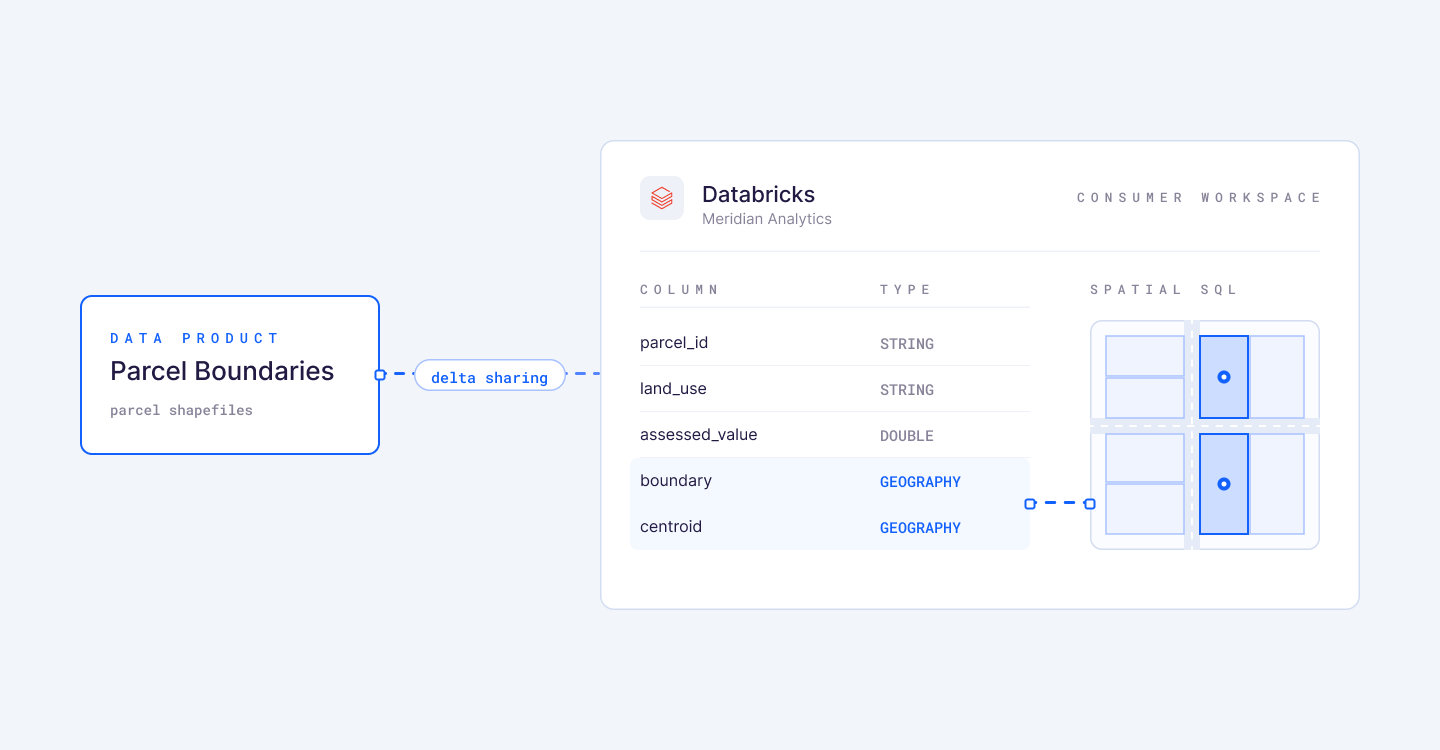
    Geospatial data products now deliver to Databricks. GEOGRAPHY and GEOMETRY columns land as native Databricks types, so your consumers run spatial SQL on them right in their own workspace.

    A Parcel Boundaries data product delivered over Delta Sharing into a consumer's Databricks workspace, where its boundary and centroid columns arrive typed GEOGRAPHY and render as a map of parcels.

    How it works:

    • Delta Sharing carries geospatial columns straight into your consumer's workspace.
    • Existing shares pick up the native types on their next sync, with no backfill.
    • Bobsled maps geospatial types to each warehouse, so the differences are handled for you.
    • Built on the geospatial support Databricks brought to Delta Sharing in June.
  2. Scheduled data products, now GA

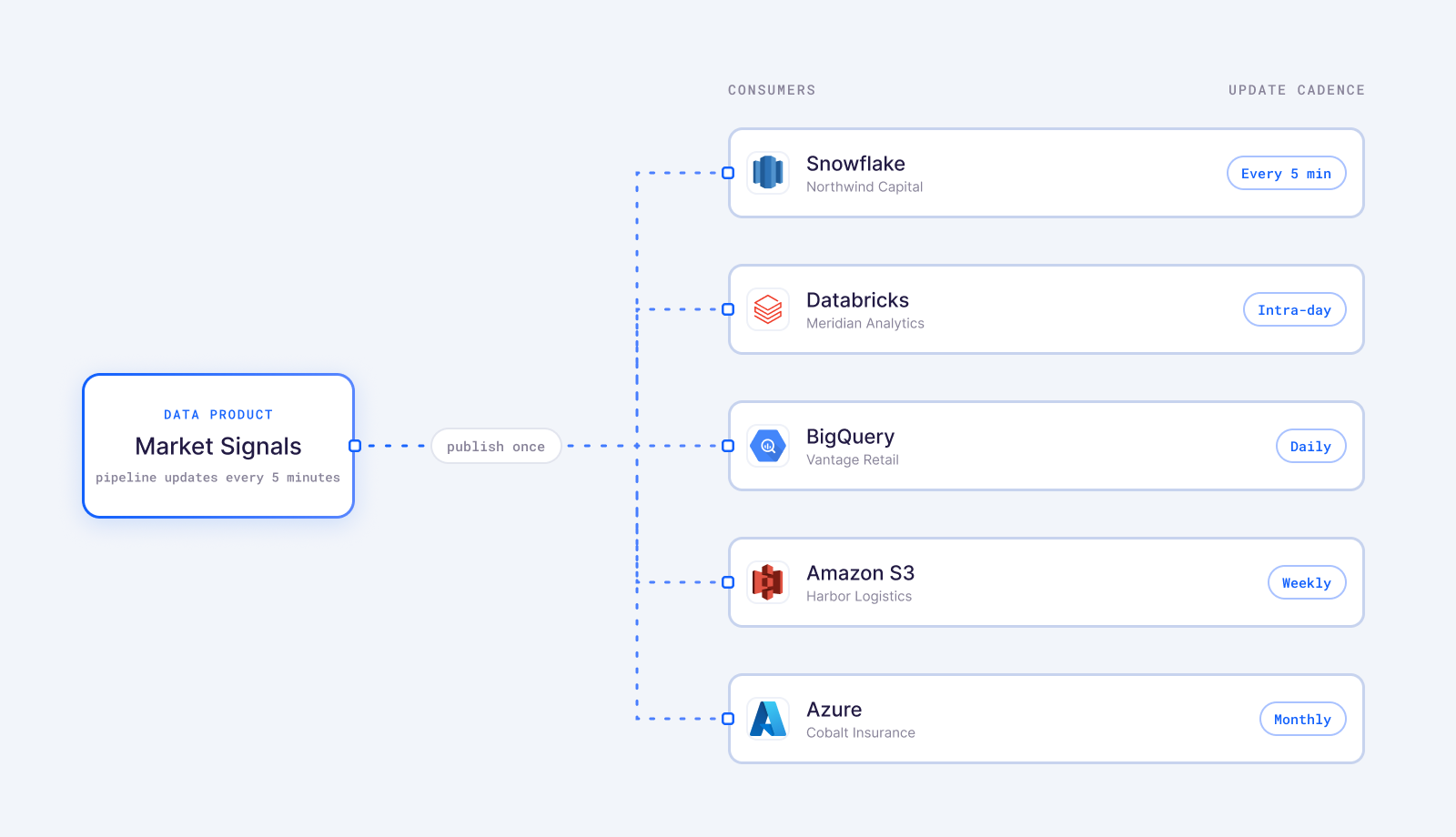
    Scheduled data products are now generally available across every destination. Load your pipeline on its own cadence and deliver to each customer on a separate one, so every consumer sees a consistent point-in-time snapshot of each release. You can price on update frequency without standing up extra pipelines.

    One data product published once, delivered to Snowflake, Databricks, BigQuery, Amazon S3 and Azure consumers, each on its own update cadence from every 5 minutes to monthly.

    What you can do:

    • Set a different update frequency per consumer, down to 5 minutes.
    • Schedule updates through the UI or the API.
    • Available in all destinations.
  3. AI error summaries

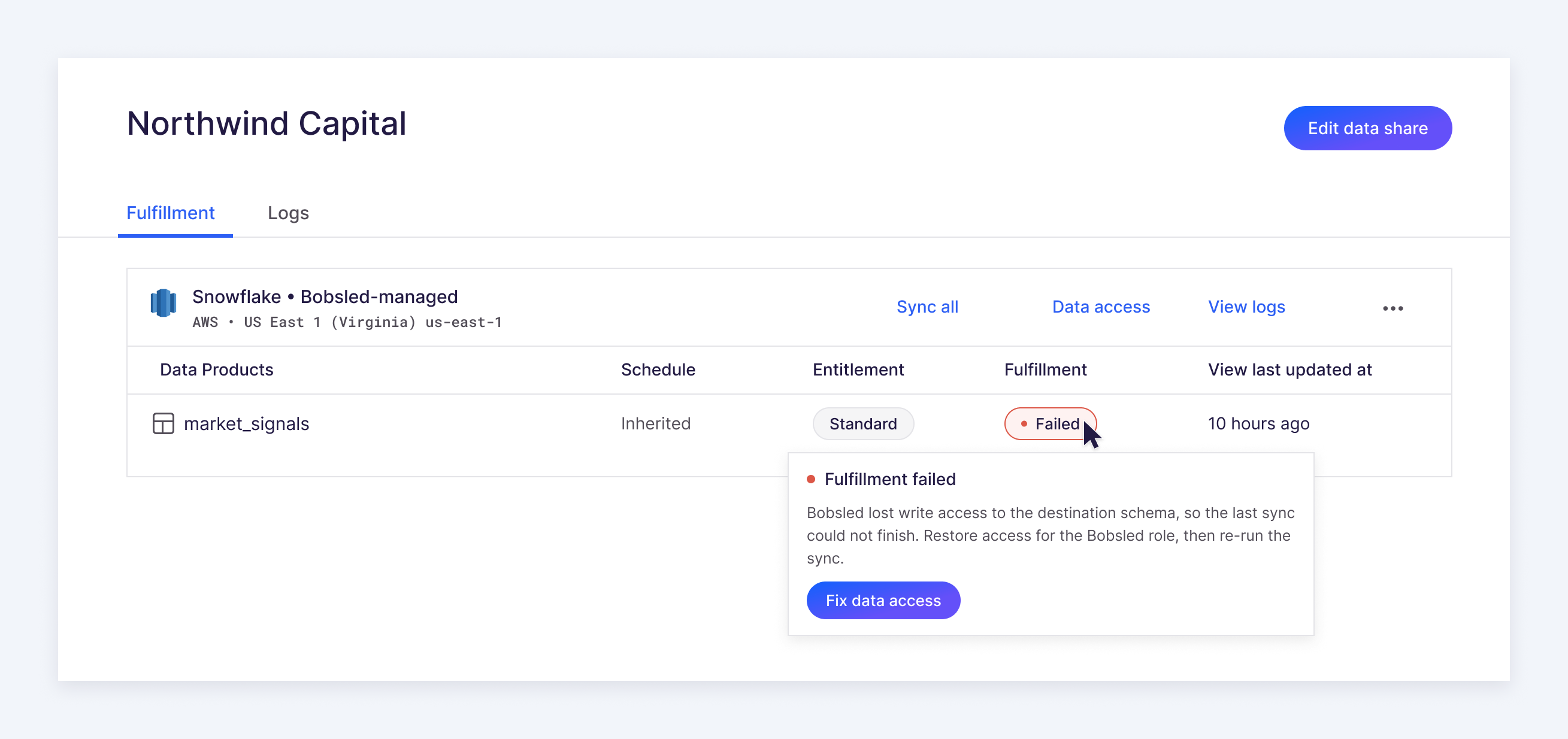
    When a fulfillment fails, Bobsled now writes a plain-language summary of what went wrong and where. Open the failed fulfillment and read one clear sentence describing the cause.

    A data consumer's fulfillment page with a failed data product. Hovering the Failed status opens a plain-language summary of the cause with a Fix data access action.

    What it does:

    • Translates destination-specific errors into plain language.
    • Each alert names what broke and the recommended next step.
  4. Expanded support for local copies

    Local copies now cover BigQuery as well as Snowflake, and a BigQuery copy can sit in a single region or in the US and EU multi-regions. A managed copy lands as a native table in your consumer's own dataset, and Bobsled keeps it current.

    How it works:

    • Copies land as native BigQuery tables in the consumer's own dataset.
    • Bobsled keeps the copy in sync automatically.
    • Target a single BigQuery region, or the US or EU multi-region.
    • Very large tables complete reliably.
  5. UI upgrades to table management

    A batch of Sledhouse UI upgrades are live! Fewer clicks to get things done, and table state you can actually read at a glance.

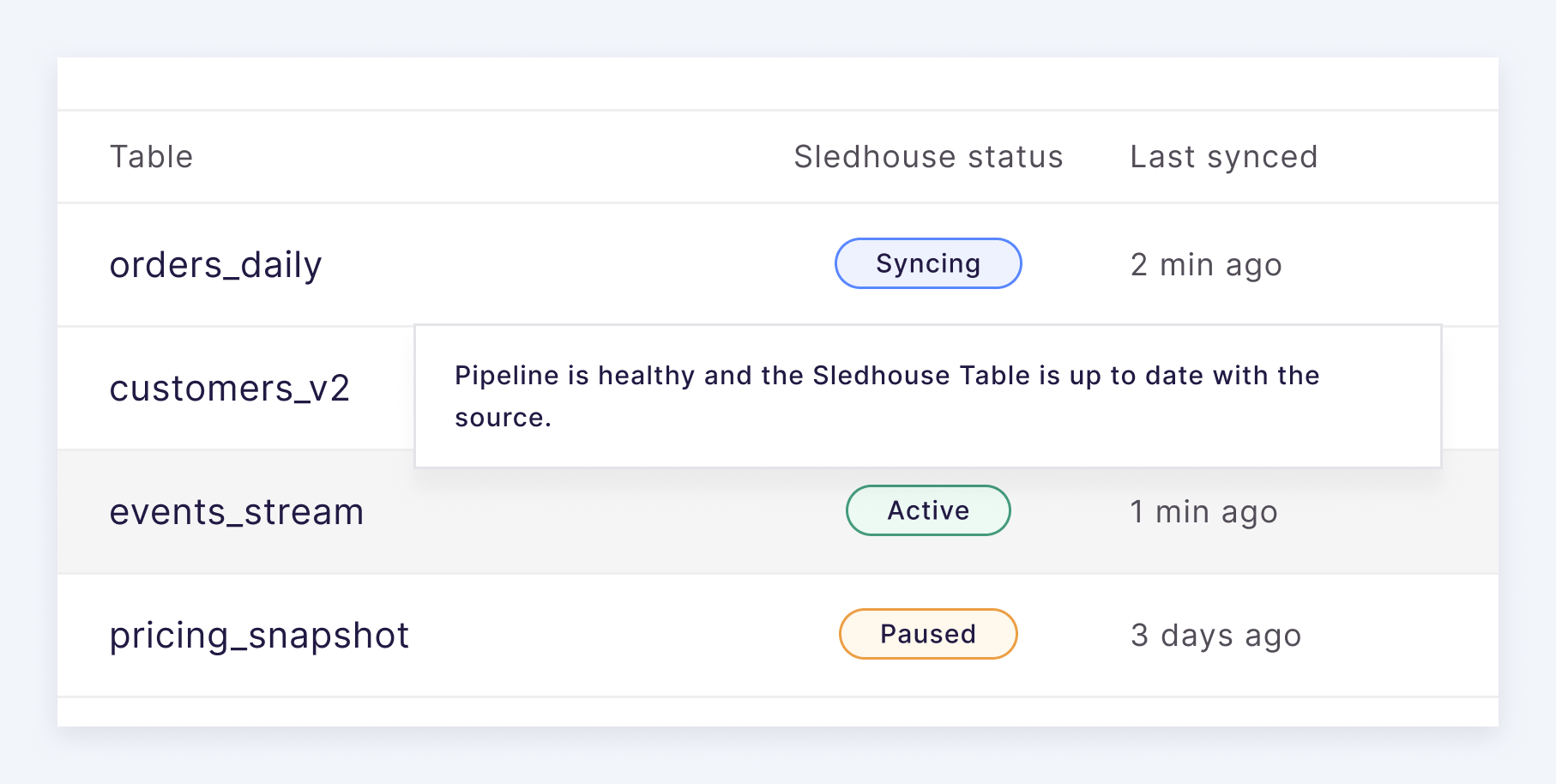
    A Sledhouse tables list showing Syncing, Active and Paused statuses, with a tooltip on a hovered row explaining that the pipeline is healthy and the table is up to date with the source.

    Key updates:

    • Hover any table or consumer status to see what it means and what happens next.
    • Table states are more granular now, so "creating" tells you the stage it's really in.
    • Failed syncs show the actual error in the popup.
    • Backfill or pause a table right from the overview, no need to open it first.
    • Filter, sort, and count across the Tables, Data Products, and Data Fulfillment tabs.
    • Filter the list by tags to find tables fast.
  6. Improved support for large table loads

    Large table loads now run asynchronously and finish reliably, even for very large tables.

    • A long-running CREATE EXTERNAL TABLE keeps working in the background and resolves on a later pass.
    • TB-sized tables across tens of thousands of files deliver reliably.
  7. Scheduled data products (Beta)

    Set custom update schedules for data products delivered to Databricks and Snowflake. Different consumers of the same product can now get updates on their own frequency, so teams can use update cadence as a pricing lever.

    • Set a different update frequency per consumer, down to 5 minutes.
    • Schedule through the UI or the API.
    • Pick a preset cadence or write your own cron.
  8. End-to-end visibility of data products

    See a data product end to end. We've deepened what you can see into each product, adding an inline readiness state for every table so you can tell exactly which ones are still preparing.

    • Stale or errored fulfillments now surface as alerts right on the Data Products page.
    • The Data Fulfillment page shows issue counts, so you can see how many need attention at a glance.
    • Local copy status shows in the UI, so you can see where your data physically lives.
  9. Improved customization of destination naming

    Customize how a data product's destination is named, and specify the destination database at creation time.

    • Specify the destination database when you create a data product, not after.
  10. External S3 destinations

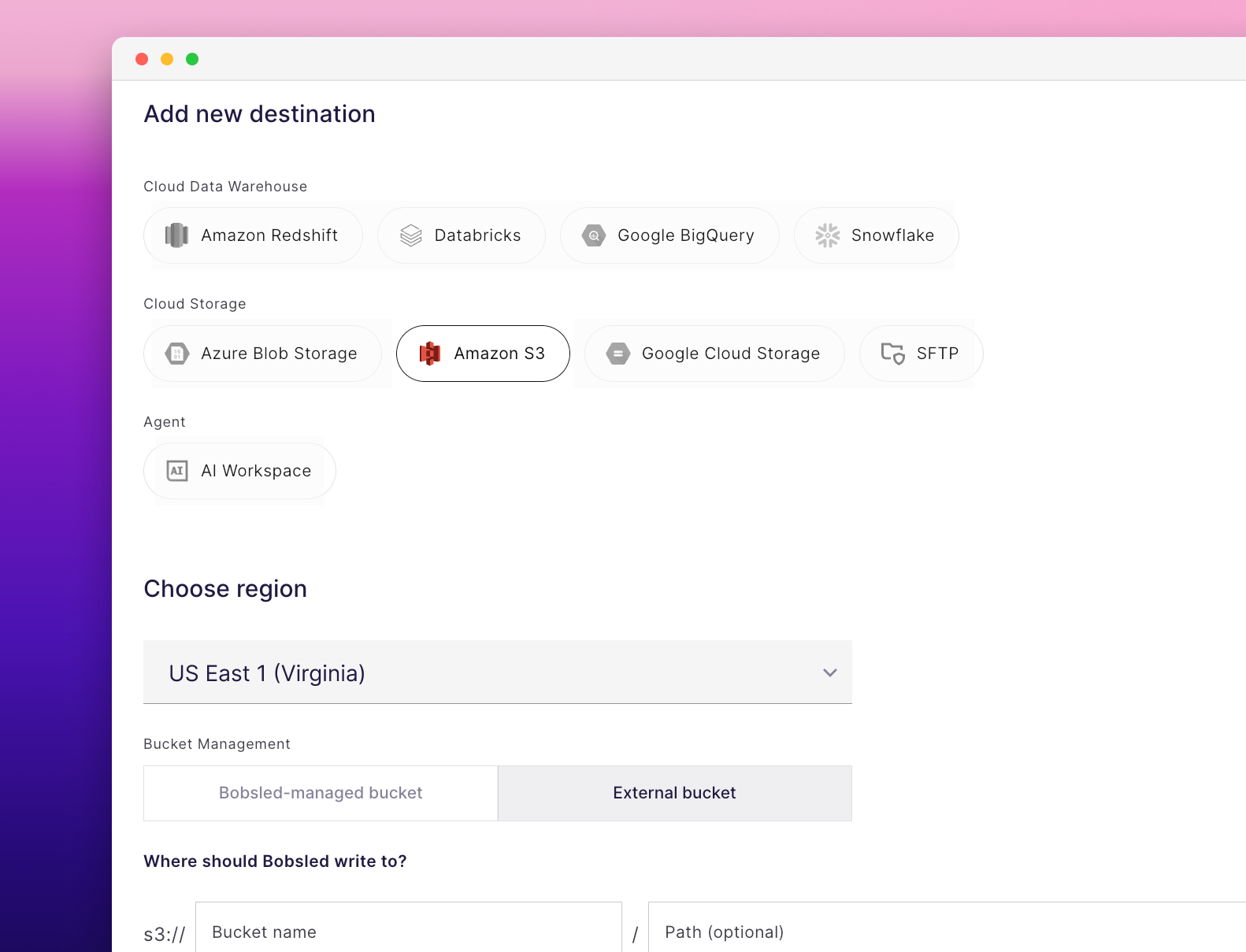
    Deliver data products straight into your consumer's own S3 bucket, set up entirely in the UI. Pick the bucket, choose how Bobsled authenticates, and go.

    The Add new destination screen in Bobsled with Amazon S3 selected, a region chosen, and Bucket Management set to External bucket.
    • Point it at a bucket you own, or let Bobsled manage one for you, with optional SSE-KMS encryption.
    • Grant write access however suits you: assume-role, access key, or consumer role.